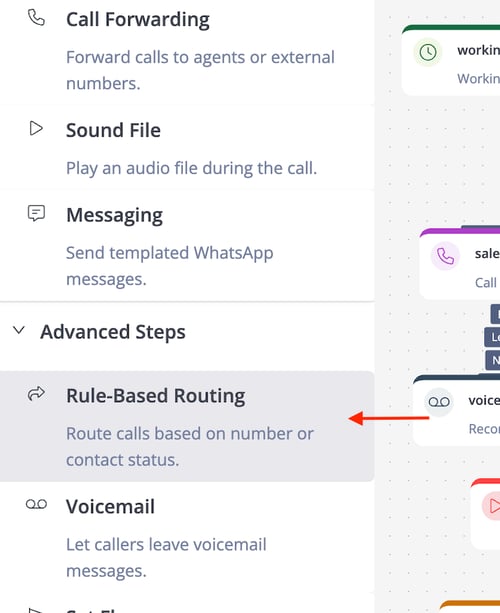
🔍 Overview of Rule-Based Routing
The Rule-Based Routing step directs incoming calls to the agents based on specific criteria, such as the caller's phone number or their status in the system's phonebook, enabling customized call flows.
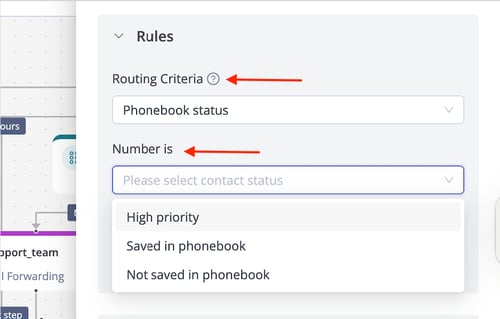
✨ Rules
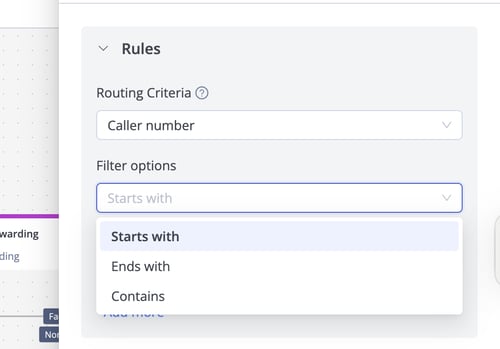
Routing Criteria: Calls are routed based on predefined conditions, including:
- Caller Number
- Phonebook Status
Caller Number Options
-
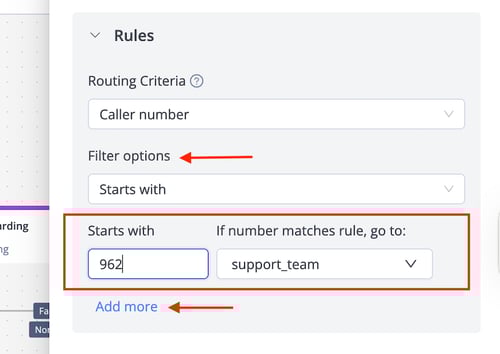
Starts With: Matches the initial digits of the caller's number (e.g., country code like 966 for Saudi Arabia, 971 for UAE).
Example: Route calls starting with 966 to a dedicated support team for Saudi customers. -
Ends With: Matches the final digits of the caller’s number.
Example: Route numbers ending in 1234 to a VIP service queue. -
Contains: Matches any of the digits within the caller’s number.
Example: Route numbers containing 555 to a marketing campaign response team.
✅ If Number Matches Rule, Go To: Specifies the next IVR step if the caller’s number matches the filter.
Phonebook Status Options
-
High Priority: Numbers saved in the phonebook as contacts with high priority.
Example: High-priority customers are routed to a premium support agent. -
Saved in Phonebook: Applies to all numbers saved as contacts.
-
Not Saved in Phonebook: Applies to numbers not saved in the phonebook.
✅ If Number Matches Rule, Go To: Specifies the next IVR step if the caller’s phonebook status matches the criteria.
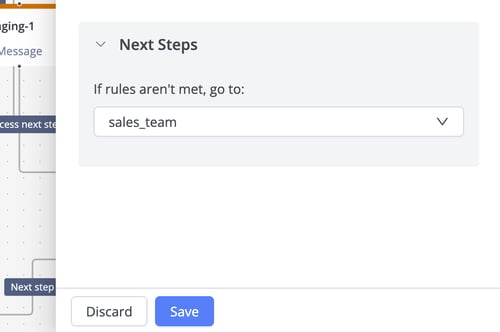
⏭️ Next Steps
If rules aren’t met, go to: This button defines the next IVR step if the caller's number or phonebook status does not match any defined criteria.