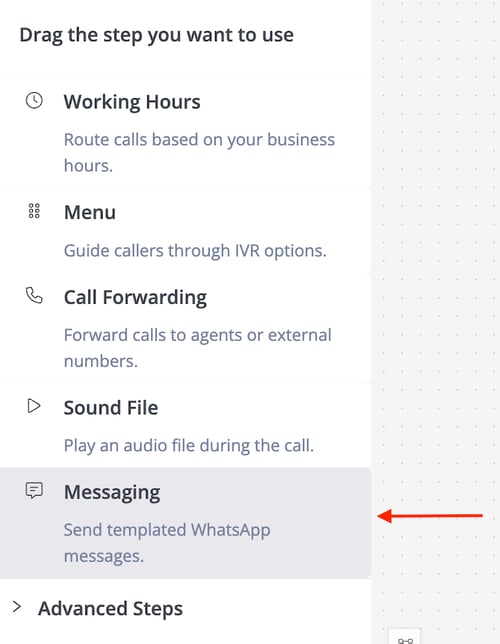
🔍 Overview of Messaging Step
The Messaging Step sends a predefined WhatsApp template message to the caller when triggered. This makes automated communication simple and efficient during the IVR call flow.
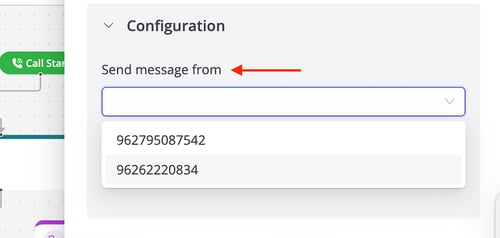
⚙️ Configurations
Send message from
-
This is the registered WhatsApp number that will be used to send the message.
-
This number must already be registered and approved by Meta through Maqsam.
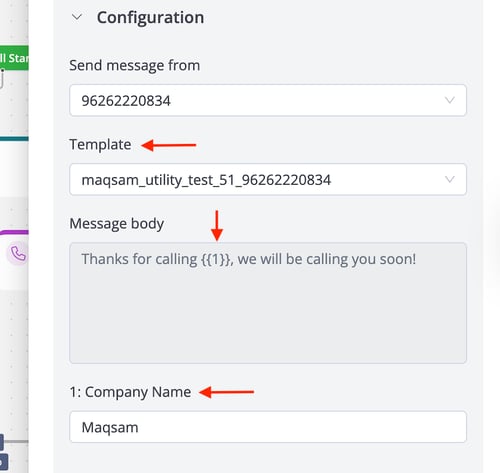
Templates
Select from predefined, Meta-approved templates for the message content.
Notes
-
Only Meta-approved templates can be selected.
-
Each Messaging Step allows sending one message only.
-
If the chosen template contains variables, you’ll need to set static values for them.
-
Example: A template like "Thanks for buying {product_name}" can be set with values like "iPhone".
-
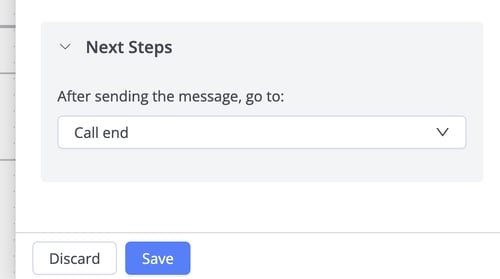
Next Steps
-
After sending the message, go to: This field specifies the next IVR step after the message has been sent.